Work PRO
Answer every point. In your words.
Paste a long email. Emigo finds each ask, you answer in a few words, and it writes one clean reply.
Emigo is the communication platform that lives in your iPhone keyboard.
It helps you write, read and reply in any conversation: your boss, your group chat, your crush and your family.

Free to download. No account needed. Some features need Emigo Pro.
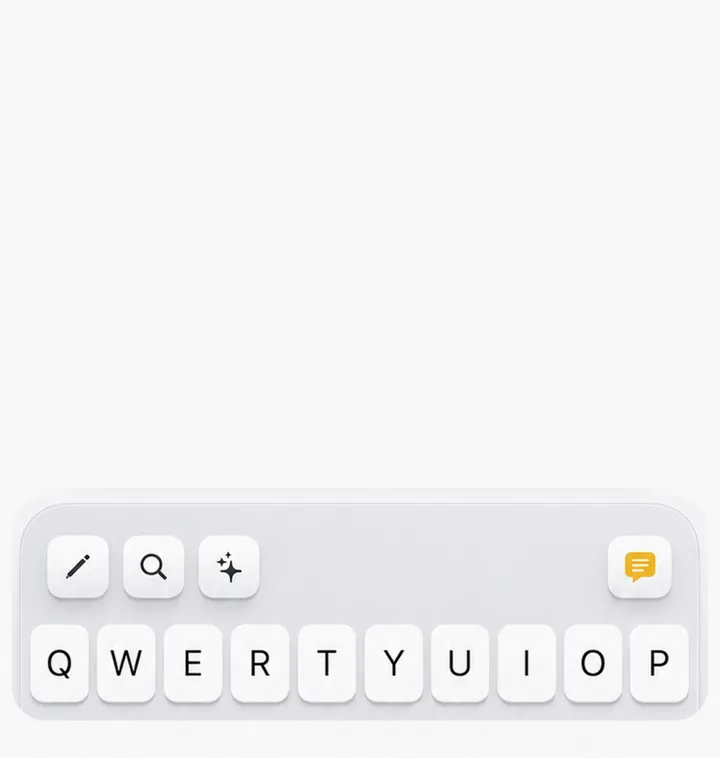
Press a key to see each one.
Rewrites your message in a better tone without changing what you mean, and tells you how the original reads.
Explains what a message you received really means, so you answer what they said and not what you feared.
Unpack goes deeper into it: the emotions in the message and how it comes across.
Reply then suggests an answer. Use it as it is, or edit it first.
Writes the whole message from a short note. Type the gist, get something you'd send.
Hold the space bar in any app to Ask Emigo. Type your question right in the text field and use the answer where you're typing.
Try it: press and hold
 Default is free. Everyday texting that sounds like you on a good day. Switch modes from the keyboard when the conversation changes.
Work PRO
Paste a long email. Emigo finds each ask, you answer in a few words, and it writes one clean reply.
Playful PRO
Start from what your crush sent. Five reply styles: confident, never try-hard.
JJordan
how was the climbing trip?
my arms have fully quit after that climbing trip
Rizzmy one chance to beat you at arm wrestling
Smoothsounds like the good kind of wrecked
Curiouswas it worth it? best climb?
Directrest up. drinks thursday, i'll carry yours
Warmreal weekend. hope the arms recover
Connections PRO
For partners, friends and family. Keep what you mean, drop the part that escalates. The heat bar warns you before you send.
What you typed: you ALWAYS cancel last minute. i was actually looking forward to tonight and honestly it hurts. whatever
After a one-tap Reframe
i was really looking forward to tonight, so it hurt when you cancelled last minute
In Your Voice PRO
Add a few messages you've sent, by screenshot or paste. Emigo learns how you write, so Reframe, Create and replies come out the way you'd say them.
Only the messages you add are used. They're saved on your phone and included only when you ask Emigo to write for you.
Hide a private message inside an ordinary-looking one. Anyone can read the cover. Only the person you meant it for, with their code, can read what's underneath.
A secret only you two can unlockYou and the other person share a code, the key. Without it no one can read the real message: not Emigo, not Apple.
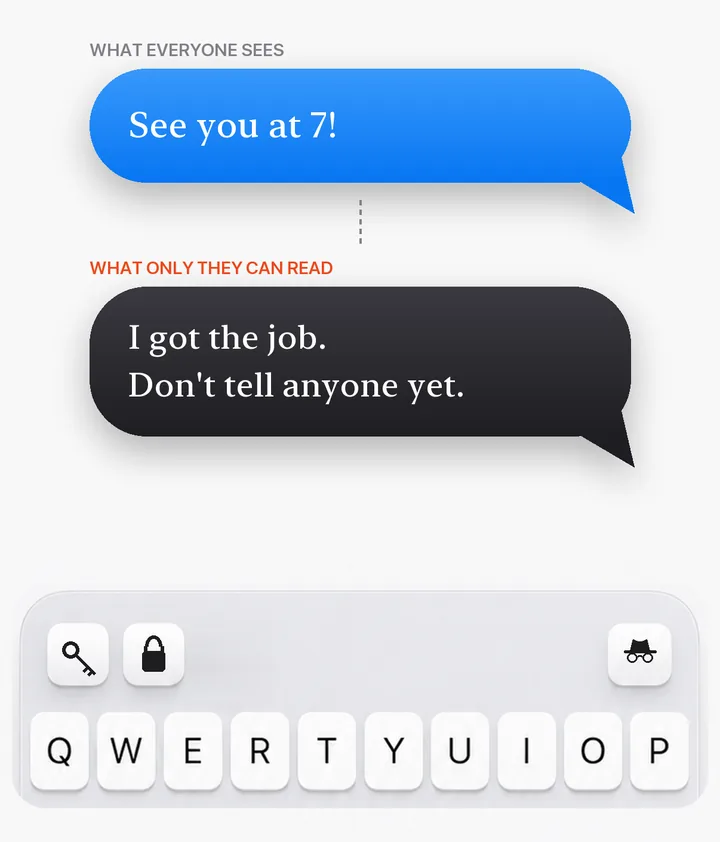
Message HistoryOpen a code to re-read that conversation's real messages, decoded in order. They are saved scrambled, on your phone.
The real message is encrypted on your phone. It and the code are never sent to Emigo. You both need Emigo Pro.
When you're typing something heated, Cool Down frosts the keys and starts a short timer. Give it a breath, tap "Help me say it better", or tap "I've got this". You still decide what goes out.
With Cool Down on, Emigo can check in later. Open it and Chat already knows there was a hot moment, so you don't have to retell it. Walk it through, or say "Not tonight". Chat is there any other time too, for whatever you want to talk through.
$0
Reframe, Interpret and Create work in Default mode. No account needed.
Everything in Free, plus:
Best value. About 42% less than paying monthly, about $5.83 a month.
Every plan starts with a 1-week free trial for eligible users, renews automatically, and can be cancelled anytime in your Apple settings. Prices in local currency; final price shown in the App Store.
The plain version is here. The privacy policy has the detail.
iOS only lets a keyboard see the text box you're typing in. Your messages, inboxes and chat history in Messages, WhatsApp, Instagram or any other app are off-limits to Emigo, and to every keyboard. Emigo sees a message only when you choose to give it one, by pasting it or a screenshot into a tool.
Your conversations with Emigo and your chat history are stored on your device, not on our servers. To answer you, the conversation is sent securely to produce the reply, and Emigo doesn't keep it.
Learned words and your history live on your device. Delete them anytime in Settings, or by deleting the app.
When you use Reframe, Interpret, Create or Chat, your text is sent securely to our AI provider to produce the result. Emigo doesn't store it, sell it, or use it to train models.
Usage analytics (which features get used, never your text or chats) are on by default. Turn them off any time in Settings, under "Share usage analytics".
No. Your everyday typing is not sent to us. Text or screenshots are processed only when you choose to use a feature such as Reframe, Interpret or Create, and they are not stored on our servers.
Full Access is the standard iOS permission that any keyboard with online features needs, the same one Grammarly, Gboard and SwiftKey ask for. Without it, no keyboard can connect to the internet. Emigo uses it to send what you choose to submit to a feature, to share your settings between the keyboard and the app, and for usage analytics, which you can turn off.
Emigo is free to download and you don't need an account. Free covers the keyboard, Default mode, Reframe, Interpret and Create in Default, and Cool Down. Work, Playful, Connections, Emcognito and In Your Voice come with Emigo Pro, a weekly, monthly or yearly subscription with a one-week free trial for eligible users. The prices are above, and the final price is shown in the App Store before you buy.
Yes. Emigo is a keyboard, so it works anywhere you type: Messages, WhatsApp, Instagram, Gmail, Slack and more. iOS switches to the standard keyboard in password fields and a few other secure fields, and some apps choose not to allow third-party keyboards.
For developers
Emigo's keyboard and autocorrect technology is available to license. Tell us what you're making and we'll take it from there.